Tips for Creating a Relaxing Home Workspace to Boost Productivity and Well-Being


Creating a relaxing home workspace is key to maintaining productivity and promoting well-being, especially as many people continue working remotely. A thoughtfully designed workspace can help reduce stress, improve focus, and make your workdays more enjoyable. Here are practical tips to help you set up a home office that supports both your productivity and mental health.
Choose the Right Location
Find a Quiet Spot
Select a space in your home with minimal distractions and noise. If possible, choose a room or corner away from the usual household traffic, where you can focus comfortably.
Consider Natural Light
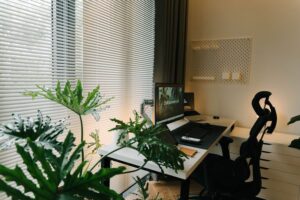
Position your desk near a window to take advantage of natural light. Sunlight can elevate your mood and reduce eye strain. If natural light isn’t available, use soft, warm lighting to create a soothing atmosphere.
Invest in Comfortable Furniture
Ergonomic Chair
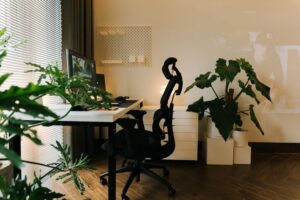
A good chair with proper lumbar support is essential. It helps prevent back pain and keeps you comfortable through long hours of work.
Adjustable Desk
If space and budget allow, consider a height-adjustable desk to alternate between sitting and standing. This flexibility improves circulation and reduces fatigue.
Organize Your Workspace
Declutter Regularly
Keep your desk clean and free of unnecessary items. A tidy workspace minimizes distractions and helps your mind focus on the tasks at hand.
Use Storage Solutions
Incorporate shelves, drawers, or organizers to keep supplies and documents neatly stored. Clear storage solutions maintain order and make it easy to find what you need quickly.
Incorporate Calming Elements
Plants and Greenery
Adding plants to your workspace can improve air quality and create a calming environment. Choose low-maintenance plants like succulents or pothos if you don’t have a green thumb.
Personal Touches
Decorate with items that make you feel relaxed and motivated, such as artwork, photos, or inspirational quotes. Be careful not to overcrowd your space, though, as too many items can create visual clutter.
Manage Technology Mindfully
Use Quality Equipment
Invest in reliable and ergonomic technology like a comfortable keyboard, mouse, and monitor to reduce strain and increase efficiency.
Minimize Digital Distractions
Consider apps or browser extensions that block distracting websites during work hours. Turn off non-essential notifications to help maintain focus.
Establish a Routine for Work and Breaks
Set Clear Work Hours
Establish start and finish times to create boundaries between work and personal life. This routine helps you stay focused during work periods and relax afterward.
Schedule Breaks
Take regular breaks away from your workspace to stretch, hydrate, and rest your eyes. Even short pauses can refresh your mind and prevent burnout.
Optimize Air Quality and Temperature
Ventilate Your Workspace
Keep a window open if possible to allow fresh air circulation. Good air quality supports better concentration and comfort.
Maintain Comfortable Temperature
Adjust the thermostat or use fans and heaters as needed to keep your workspace at a pleasant temperature. Being too hot or cold can be distracting.
Use Soothing Sounds
Background Music or White Noise
Soft instrumental music or white noise can help mask distracting sounds and improve concentration. Experiment with what works best for you.
Final Thoughts
Creating a relaxing home workspace doesn’t require a major renovation. Small changes—like decluttering your desk, adding a plant, adjusting lighting, and organizing your tools—can make a big difference. When your environment supports both comfort and focus, you’re more likely to enjoy your work and maintain a healthy balance between productivity and well-being. Start with one or two of these tips today and gradually build a workspace that inspires and relaxes you.