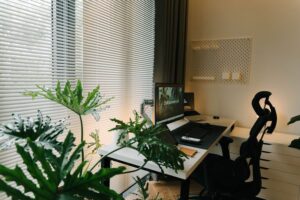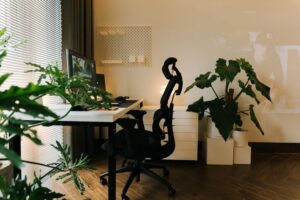
Tips for Creating a Relaxing and Productive Home Workspace

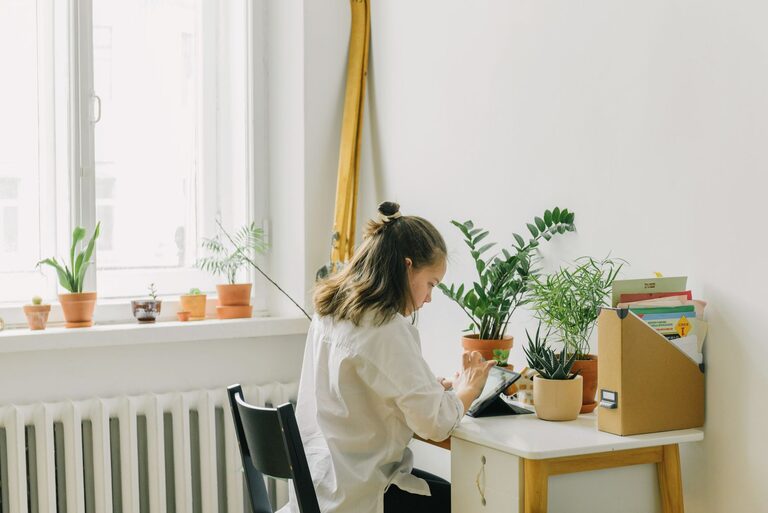
Creating a home workspace that strikes the perfect balance between relaxation and productivity can greatly enhance your work-from-home experience. Whether you’re freelancing, running a small business, or simply working remotely, having a comfortable and efficient space is essential. This guide offers practical tips on designing a home office that helps you stay focused, energized, and stress-free.
Why a Relaxing and Productive Workspace Matters
A well-designed workspace impacts not only your output but also your overall well-being. When your work environment feels welcoming and organized, you’re more likely to stay motivated and avoid burnout. Conversely, a cluttered, uncomfortable area can increase stress and reduce your efficiency.
Key Elements of a Relaxing and Productive Home Workspace
1. Choose the Right Location
– Natural Light: Position your desk near a window if possible. Natural light improves mood and reduces eye strain.
– Quiet Zone: Select a spot with minimal distractions. Noise-canceling headphones can help if total silence isn’t an option.
– Separate from Living Areas: Try to have a dedicated workspace apart from your bedroom or living room to maintain clear boundaries.
2. Invest in Comfortable Furniture
– Ergonomic Chair: Choose a chair that supports your back and encourages good posture.
– Adjustable Desk: Consider a desk with adjustable height to switch between sitting and standing.
– Proper Desk Size: Ensure your desk has enough room for your computer, accessories, and documents without feeling cramped.
3. Declutter and Organize
– Use Storage Solutions: Shelves, filing cabinets, and desk organizers keep paperwork and tools within reach but out of sight.
– Keep Essentials Handy: Only keep daily-use items on your desk to reduce visual clutter.
– Cable Management: Tidy cables with clips or sleeves to avoid tangled messes that create distractions.
4. Incorporate Calming Colors and Decor
– Soft Tones: Shades of blue, green, or neutral colors help create a soothing atmosphere.
– Personal Touches: Add plants, artwork, or inspirational quotes to make the space inviting.
– Minimalist Design: Avoid overloading your workspace with too many decorations to maintain focus.
5. Optimize Lighting
– Layered Lighting: Combine ambient, task, and accent lighting for flexibility.
– Desk Lamp: A lamp with adjustable brightness helps during late-night work sessions.
– Reduce Glare: Position your monitor and lights to minimize screen glare.
6. Minimize Distractions
– Set Boundaries: Inform family or roommates about your work hours to minimize interruptions.
– Turn Off Notifications: Silence unnecessary phone and computer notifications during focused work periods.
– Use Productivity Tools: Apps like timers or website blockers can help maintain concentration.
7. Incorporate Movement and Break Areas
– Stretching Space: Ensure there is enough room to stand up and stretch regularly.
– Break Zone: If possible, create a small area nearby where you can relax for a few minutes to recharge.
8. Maintain Good Air Quality and Temperature
– Ventilation: Open windows regularly or use an air purifier.
– Temperature Control: Use fans or heaters to keep the temperature comfortable.
Daily Habits to Support Your Workspace
– Start with a Morning Routine: Begin your day with a consistent routine to signal your brain that it’s work time.
– Keep it Clean: Spend a few minutes at the end of each day tidying your workspace.
– Take Regular Breaks: Short breaks every hour can boost productivity and reduce fatigue.
– Stay Hydrated: Keep water nearby and drink throughout the day.
Final Thoughts
Designing a relaxing and productive home workspace doesn’t require a large budget or a dedicated room. By focusing on comfort, organization, and minimizing distractions, you can create an environment that helps you work efficiently while maintaining your well-being. Experiment with these tips and adjust according to your preferences to find the perfect setup for you.